
SiteLang Guide
How to Translate WooCommerce Products in Bulk: A Practical Guide
A catalog you can maintain
Turn a large product catalog into controlled translation batches with clear ownership, reliable identities, and review before publication.
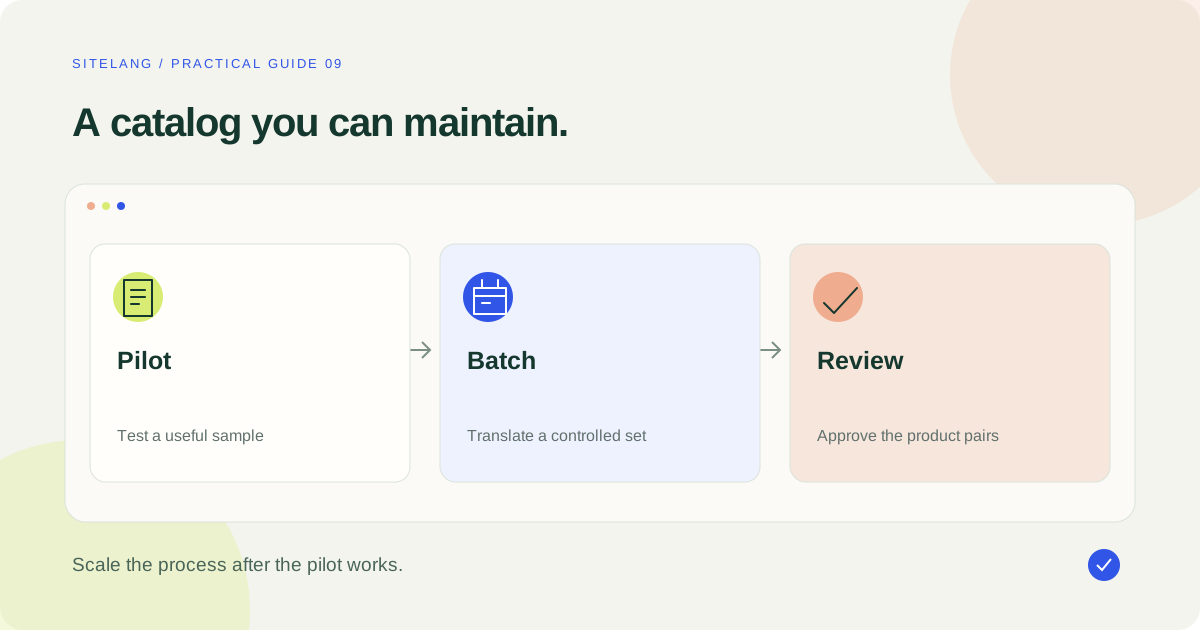
To translate WooCommerce products in bulk, define the fields and languages, test a representative pilot, process a limited batch, and review the translated records before publishing. Preserve product identity and variation relationships. A generic product CSV is not automatically a multilingual import format.
- A product-language pair is a useful planning unit.
- Prove the pilot before sending the entire catalog.
- Track incomplete jobs and protect manual corrections during retries.
Define the product translation scope
When you translate WooCommerce products, first decide what “complete” means. A title and description may be enough for a draft, but a publishable product can also need a short description, categories, attribute labels, variation text, image information, metadata, and appropriate internal links.
Inventory those fields and identify which system owns each one. Some content belongs to WooCommerce, some to a theme or builder, and some to a product extension. Do not assume that a bulk action covers every field merely because it operates on a product record.
This guide uses a hypothetical catalog of 250 products and two target languages. That creates 500 product-language pairs to plan and review. It does not establish how many provider requests will be made, how quickly jobs finish, or which paid allowance is sufficient.
For the broader store journey, use the WooCommerce multilingual guide. Bulk catalog work is only one part of a multilingual store launch.
Protect product identity and commercial data
Keep a clear distinction between human-readable copy and the values that identify or operate the product. A translated color label may be appropriate; casually changing an SKU, variation relationship, stock owner, or download entitlement is a different operation.
| Field group | Editorial treatment | Validation |
|---|---|---|
| Title and descriptions | Translate and adapt wording | Preserve product facts and exclusions |
| Taxonomy and attribute labels | Translate supported visible labels | Verify filters and variation choices |
| IDs, SKUs, relationship keys | Do not treat as ordinary prose | Verify the plugin’s product identity model |
| Price, stock, tax, shipping data | Maintain the intended store rules | Compare the sellable item and totals |
| Markup and placeholders | Protect structure and variables | Inspect the rendered result |
| Images and downloads | Localize assets only when appropriate | Open the actual files and review access |
Back up the store and test on staging. Record the product IDs and source versions in your batch log. If your translation architecture creates linked records, verify how the source and translated versions share or separate operational data.
Do not assume that a future source edit will synchronize every translated field. The intended behavior may protect target-language edits or leave selected product fields independent. Establish this behavior with the installed version before committing to catalog-wide maintenance.
Build a pilot that exposes difficult cases
Choose around ten representative products before selecting all 250. Include a simple product, a variable product, a long description, a product using a builder, and any special type essential to the business. Add a product with important protected terminology and another with an external or downloadable component where relevant.
For two target languages, this pilot contains twenty product-language pairs. Use it to measure actual processing, review effort, and unexpected omissions. Do not extrapolate from the easiest item alone.
Write acceptance criteria before running the pilot. A useful result includes correct meaning, intact markup, a working public URL after publication, the intended variation behavior, and an understandable route through the store. A translated paragraph without those checks is only a draft output.
Have a reviewer approve recurring terms during the pilot. Maintain the terminology reference outside the tool if a dedicated glossary feature is unavailable. Never advertise a glossary control simply because the process would benefit from one.
Select a controlled batch in SiteLang
The inspected SiteLang 1.1.8 source includes target-language selection, product content filtering, visible-item selection, and separate manual/managed translation actions. The following route is based on that release evidence rather than a live test on your catalog.
- Open SiteLang → Languages and verify the target languages and labels.
- Go to SiteLang → Translations, select one target language, and continue.
- Choose Products as the content type. Use the search and translation-status filters to narrow the source set.
- Select the intended rows. The visible select-all control applies to the displayed source items; do not assume it silently selects every product across all pages.
- Choose Create manual drafts in the target language, or use Auto translate selected when eligible managed AI access is available.
- Review created records and job progress before beginning the next batch.
Repeat deliberately for the next target language. Keep a batch log so that the same source products are not submitted again simply because the language workspace changed.
Check the current release if labels differ. If a capability is absent from your installed build, investigate its documentation instead of substituting a made-up toolbar action.
Monitor jobs and review the result, not just the status
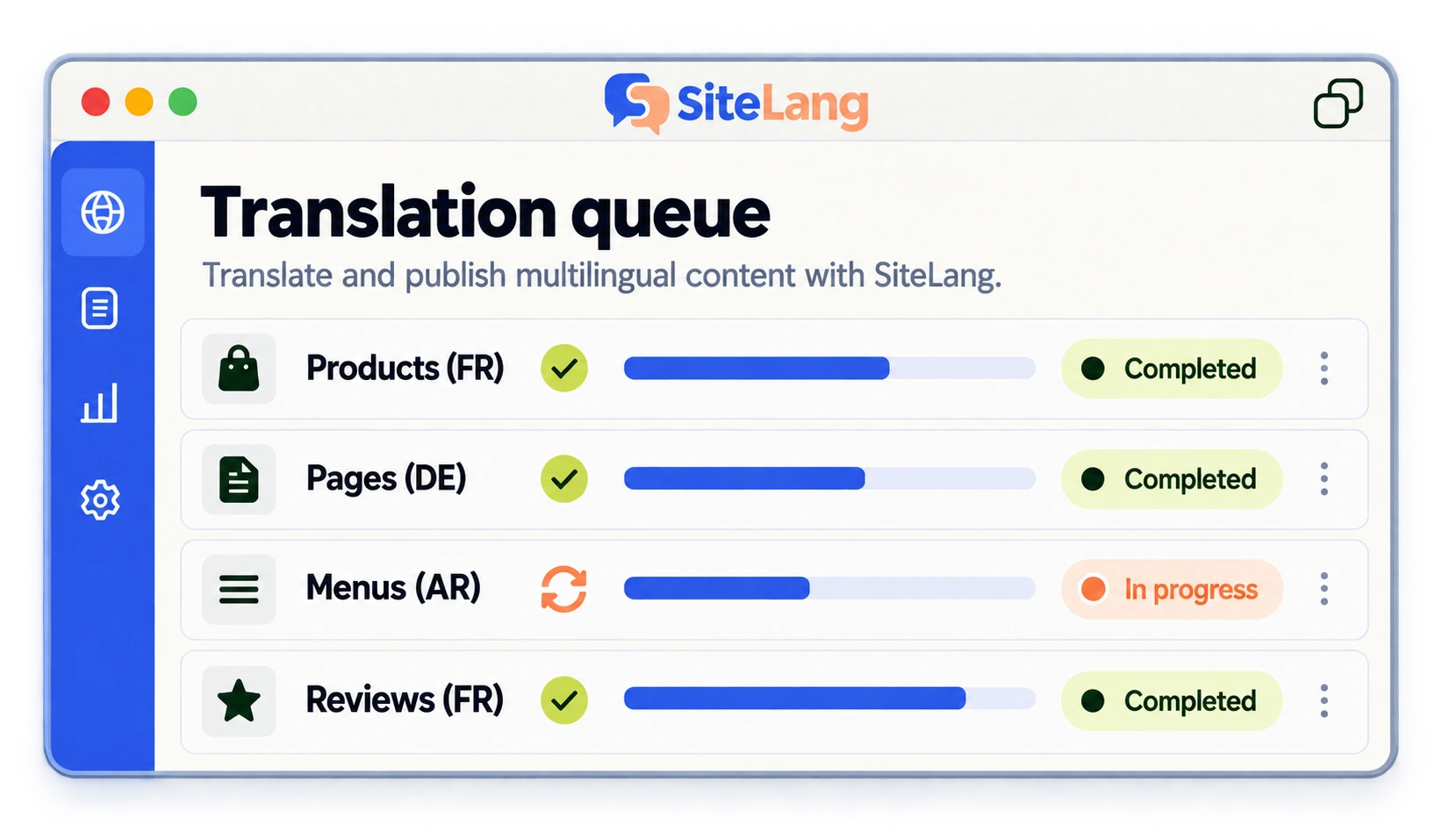
Use the available Translation Queue and product views to identify pending, active, completed, and failed work. Record the source product, target language, translated record, and the last action taken. A finished processing state is not the same as editorial approval.
The inspected implementation contains background processing and recovery logic. That is not a promise that every retry is free, that jobs cannot overlap, or that an interrupted request can never affect manual work. Before retrying, inspect the existing target record and the specific failure message.
If the source changes while a job is running, decide whether the current draft is still useful or needs a new review cycle. Avoid repeatedly submitting the entire catalog to solve one failed item. Start with the smallest known affected set.
For recurring failures, retain a sanitized example, version details, target language, and the relevant safe error code. Do not share provider secrets, activation codes, private customer data, or full sensitive logs in support materials.
Estimate usage and reviewer effort from the pilot
Count the actual content sent for translation rather than multiplying product count by an assumed universal token rate. A short simple product and a long builder-based description can require different processing. Additional instructions, output, retries, and polishing may also affect usage.
Measure the pilot’s review time. If twenty product-language pairs require substantial manual correction, improve the source and terminology before processing the other 480 pairs. A faster batch with the same repeated mistake only creates more cleanup.
Use the AI cost and quality guide to separate a service plan, provider units, and human review. Do not convert a token allowance directly into a guaranteed number of complete products.
Keep the scope flexible. Process a coherent category or a limited set of high-value products next. Review the result and adjust batch size to the actual server, service, and reviewer capacity.
Do not mistake a product CSV for a translation importer
WooCommerce’s built-in CSV importer and exporter manage product data. Matching an existing product and establishing a multilingual relationship are not the same task. A file containing French descriptions does not automatically tell another system which English product they translate.
Before using any import, identify the supported schema and relationship mapping for the actual translation tool. Confirm whether it updates existing translated records, creates new products, preserves identifiers, and handles variations correctly.
Test one simple product and one variable product on staging. Review the mapping screen, resulting records, public URLs, and sellable item. Keep a copy of the source file and import report. Do not repeatedly upload the full catalog until a smaller sample behaves as intended.
Avoid spreadsheet changes that alter stable identifiers or treat leading zeros as disposable formatting. Product imports should be deliberate data operations, not a shortcut around understanding the translation architecture.
Review a complete product-language pair
Open each pilot product as a visitor. Read the title, description, specifications, and important warnings. Follow category links and select variations. Confirm that visible labels correspond to the actual product options.
Check localized images and alt text in context. If a graphic contains words, decide whether a separate language asset is needed. Preserve accurate product photography and avoid generating a visual that misrepresents the item.
Review the search title, description, URL, and language relationships. Use the multilingual SEO audit for the technical checks. The translated page should not accidentally point search signals to an unrelated or obsolete product.
| Check | Acceptance | Initial result |
|---|---|---|
| Meaning and product facts | Accurate, complete, approved wording | Not tested |
| Variation and stock behavior | Correct sellable option and inventory model | Not tested |
| URL and navigation | Correct target page and language equivalents | Not tested |
| Rendered layout | Readable desktop and mobile output | Not tested |
| Purchase handoff | Correct item reaches the tested checkout flow | Not tested |
Handle a partially completed batch without starting over
Suppose a hypothetical pilot creates twenty product-language pairs and three need further work. First classify the three results: one may have a provider failure, another a missing extension field, and the third an editorial terminology issue. They should not automatically receive the same retry action.
For the failed processing job, inspect its target record and safe error message before retrying. For the unsupported field, identify the owning extension and a documented route. For the editorial issue, correct the wording and update the terminology reference. A catalog-wide rerun is unlikely to be the best first response to all three.
Record which parts are already approved. If a retry can reprocess completed fields, decide how to preserve manual corrections before using it. Do not assume that a progress label is an immutable history of every earlier action.
When the pilot is resolved, adjust the next batch: change the source, exclude an unsupported field from the claimed scope, or make a targeted review requirement explicit. The purpose of the pilot is to improve the repeatable process. Its value is lost if the same known problem is submitted across the remaining catalog without a plan.
Publish in stages and maintain the catalog
Publish reviewed translated products in coherent groups. Ensure categories, navigation, and search do not promote incomplete products as ready. Confirm availability and purchasing behavior before directing paid or organic traffic to the new language catalog.
Keep a maintenance log for source changes. Prioritize corrected specifications, changed offers, availability, and download information. Determine whether the existing target-language wording should be preserved, selectively edited, or regenerated, and protect human corrections from accidental replacement.
Retain a rollback plan appropriate to the data operation. A full database restore on a live store can affect orders placed since the backup, so plan recovery with the actual deployment and order history in mind. Test batch operations on staging before deciding how to apply them safely.
Finally, use the checkout translation guide to validate the handoff beyond the product page. A successful bulk translation project ends with accurate, maintainable shopping experiences, not simply a large completed-job count.
Good questions. Clear answers.
How many translation jobs does a catalog need?
Count product-language pairs for planning, but do not equate that number with provider requests. Chunking, fields, retries, and the tool’s implementation affect processing.
Can I translate SKU values?
Do not treat product identifiers as ordinary text. Follow the translation system’s documented identity model and verify product and variation relationships.
Can the standard WooCommerce CSV import my translations?
It imports product data according to its schema. Multilingual relationships require a documented mapping route in the translation tool.
Should I retry every product after one job fails?
No. Inspect the affected item, existing target record, and failure cause. Retry a controlled set and review whether completed work or manual edits would be affected.
Sources & further reading
Sources checked 25 October 2026. Document-based guidance; your installation and integrations require their own tests.